

Introduction
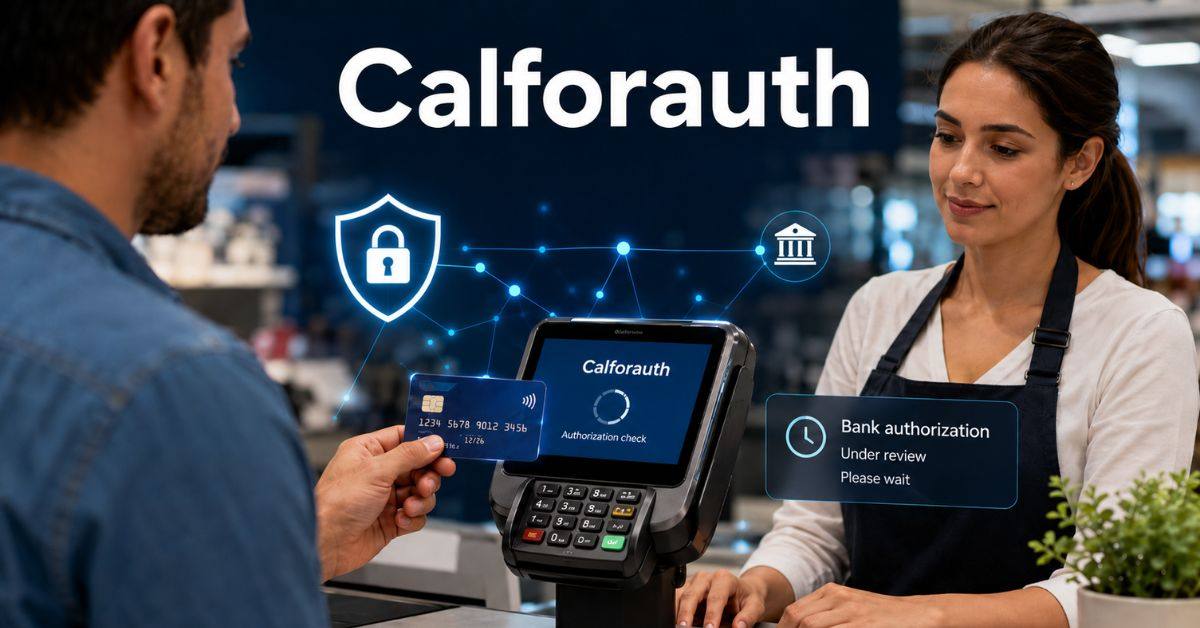
A payment card may work normally and then suddenly produce an unfamiliar message at checkout. One such message is Calforauth, a shortened form linked with “Call for Authorization.” It appears when a transaction cannot receive standard electronic approval and another step may be required.
The message may look like a fraud alert, blocked account, or terminal failure. However, Calforauth does not automatically mean the card has no funds, has been stolen, or has been permanently declined. It only shows that the payment needs further review or a processor-approved action.
What Does Calforauth Mean?
Calforauth is usually an abbreviated terminal message for “Call for Auth” or “Call for Authorization.” The message means the issuing bank did not provide immediate approval.
Key facts include
- The transaction has not been fully approved.
- It is different from a completed payment.
- The merchant may need to contact an authorization centre.
- The buyer might need to call the company that issued the card.
- The correct action depends on the processor.
Only the issuer or processor can confirm whether the cause involves limits, restrictions, security checks, or a technical problem.
How Card Authorization Normally Works
When a customer taps, inserts, or swipes a card, the terminal sends a request through the processor and card network to the issuing bank. The bank returns an approval, decline, or referral.
The issuer may check available funds, card status, transaction value, merchant location, spending patterns, and fraud signals.
A normal response arrives within seconds. Calforauth appears when the automated system cannot provide regular approval. The merchant may be told to call an authorization service, request another payment method, or follow the processor’s guide. The answer does not prove theft by itself.
Why a Bank May Request Extra Approval
Banks use extra checks to protect cardholders and merchants. A payment that differs from normal account activity may need confirmation. Calforauth can also appear when a card restriction prevents automatic approval.
Possible causes include
- A purchase much larger than usual
- Card use in a new country
- Several attempts in a short period
- A locked, expired, or restricted card
- Incorrect details or chip-reading trouble
- A blocked merchant category
- A temporary processor issue
- An issuer rule requiring review
Customers should contact their bank through an official number, while merchants should follow processor instructions.
Calforauth Compared With Other POS Responses
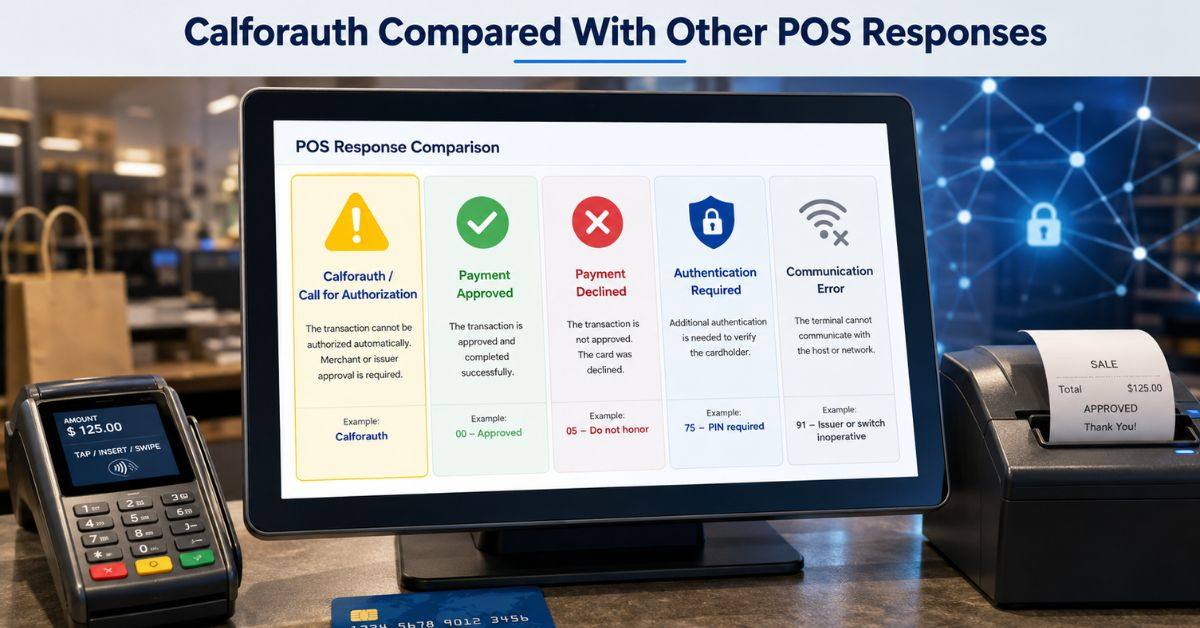
Calforauth is one of several messages that may appear during card payment.
| Terminal response | General meaning | Safe action |
| Approved | Payment authorized | Complete the sale |
| Declined | Payment not approved | Request another method |
| Call for authorization | Extra review required | Follow processor instructions |
| Authentication required | Identity check needed | Complete the supported check |
| Communication error | Terminal could not connect | Check the network |
Wording varies by provider. Merchants should follow their own acquirer’s guide.
Safe Steps for Customers
When Calforauth appears, the customer should remain calm and ask whether the payment was approved, declined, or left incomplete.
Customers should
- Check the receipt and banking app.
- Look for a pending or completed charge.
- Call the number printed on the card.
- Ask whether the card is locked or restricted.
- Confirm whether travel or large purchases are blocked.
- Use another payment method if needed.
Never share an online-banking password, one-time code, PIN, or security details with the cashier.
Safe Steps for Merchants and Cashiers
Merchants must use their provider’s official process when Calforauth is displayed. Staff should never guess the meaning or use a number supplied by the customer.
A safe process is:
- Confirm that no approval was received.
- Read the exact terminal response.
- Check the merchant guide.
- Call the approved authorization number if instructed.
- Verify any code through the official channel.
- Record the outcome.
- Request another payment method when necessary.
Provider procedures vary, so staff should know when a supervisor must take over.
What Merchants Must Never Do
Unsafe shortcuts can lead to chargebacks, fraud losses, and security problems. Calforauth should never be bypassed only to finish a sale quickly.
Merchants must not:
- Accept an approval code from the customer
- Call an unverified number
- Guess or reuse an authorization code
- Force the payment repeatedly
- Record a PIN or one-time password
- Photograph the customer’s card
- Claim fraud without evidence
- Keep unnecessary card information
When uncertain, staff should pause the sale and contact the verified provider.
Should the Transaction Be Retried?
Not every Calforauth response should be retried. A second attempt may be reasonable after a clear technical problem is fixed, but repeated attempts can create declines, pending charges, or security alerts.
| Situation | Retry? | Better response |
| Temporary network issue | Possibly | Restore connection and retry once |
| Card inserted incorrectly | Yes | Reinsert carefully |
| Referral response | Not automatically | Follow authorization procedure |
| Repeated decline | No | Request another payment method |
| Customer unlocked card | Usually once | Retry after confirmation |
Before retrying, check the earlier attempt’s status to reduce the risk of duplicate payments.
Two Illustrative Checkout Scenarios
Two examples show why Calforauth may appear for different reasons.
High-value purchase: A customer who normally makes small purchases tries to buy an expensive item while travelling. The bank does not issue automatic approval. The merchant follows the official procedure, and the customer contacts the issuer.
Temporary connection problem: A store briefly loses its processor connection. The terminal cannot complete normal authorization. Instead of entering a random code, the cashier checks the network and terminal instructions. If service remains unavailable, the customer uses another method.
How Businesses Can Reduce Confusion
Businesses should create a simple Calforauth procedure before staff encounter the message. Clear instructions reduce mistakes and protect customer information.
Recommended controls include
- Keep processor contacts in a secure staff area.
- Train employees to recognize approvals, declines, referrals, and errors.
- Limit manual authorization access.
- Require supervisor review for unusual transactions.
- Review entered codes and receipts.
- Update terminal software.
- Inspect devices for tampering.
- Use a polite script that avoids blaming the customer.
FAQs
Is Calforauth a fraud warning?
Not necessarily. It is generally a referral message. Fraud controls may be involved, but restrictions, technical errors, unusual spending, or account rules can also cause it.
Has the customer already been charged?
Usually, standard approval was not completed. Still, the customer should check the receipt and banking app because an earlier attempt may appear as pending.
Should the customer call the bank?
Yes, especially if the card continues to fail. Use the official number on the card or in the bank’s app.
Can a cashier enter any authorization code?
No. A code should be entered only when it comes from the verified processor or authorization centre and the provider permits it.
Is the message handled the same by every provider?
No. Banks, processors, terminals, and countries may use different codes and procedures. Merchants must follow their provider’s guidance.
Conclusion
Calforauth is shortened payment-terminal wording that usually means “Call for Authorization.” It tells the merchant and customer that the card has not received normal electronic approval and another action may be needed.
Customers should confirm the payment status, protect their credentials, and contact the issuer through an official channel. Merchants should read the response, use their processor’s approved procedure, and request another payment method when authorization cannot be obtained. They should never invent approval codes, accept codes from shoppers, or repeatedly force a transaction.
Calforauth is not a complete diagnosis. It does not automatically prove fraud, insufficient funds, or a damaged card. With proper training, verified contact details, secure data handling, and calm communication, businesses can manage the situation professionally while protecting both the customer and the sale.